
 HydraDOCs
Appearance
Manual Hanger Cuts
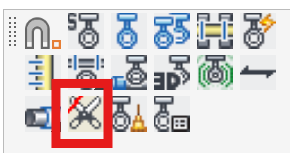
Layer(s): HANGER, HANGER2
Associated: Hanger Setup
Insert cut hanger lengths by entering a manual length or a takeout on a center-to-center hanger.
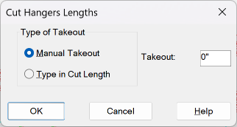
Hangers are originally inserted with a c-c length. This command creates a cut length hanger by either manually specifying a Takeout to be subtracted from the center length or the cut length itself can be entered.
Select the Type of Takeout and enter the takeout or specified cut length in the edit field. Press OK.
Pick the hangers to modify and press Enter. A copy of the hanger will be inserted in the cut hanger layer (HANGER2) and given a length as selected. To view cut lengths, use HydraTools > Layer Control > Cut Dimensions or type in CEL.
HydraCARDs (Troubleshooting)
For HydraCARDs regarding Manual Hanger Cuts: [Click Here]