
 HydraDOCs
Appearance
Multiple RNs
Layer(s): SPRNK2, SPRKDATA
Shortcut: MRI
Associated: Riser Nipple Setup / Insert One RN
Ribbon: Insert Panel
Insert multiple riser pipes based on the settings in Riser Nipple Setup.
Use the radio buttons to select your application and press OK. HydraCAD will then prompt to:
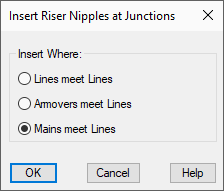
Select Line and Main Pipes
Riser nipples will be inserted where the endpoints of lines and mains coincide. Pick the pipes whose intersections require riser pipes. Press Enter after picking the pipes and the riser pipes are inserted.
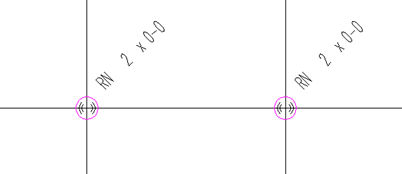
If your riser pipe lengths are to be Computer Generated, you must toggle between the 3D and 2D to update the lengths.
HydraCARDs (Troubleshooting)
For HydraCARDs regarding Multiple RNs: [Click Here]