
 HydraDOCs
Appearance
Jump
Layer(s): HYD
Shortcut: DETOUR
Associated: Start AutoCalcs
Add a Jump to route flow from one part of your drawing to another part. Jumps must be put in the direction of flow from the supply towards the remote area. For example, from the underground to the riser, or from a lower floor to an upper floor. See the Multi-Floor AutoCalc Example in HydraTools > Tools > Training Drawings.
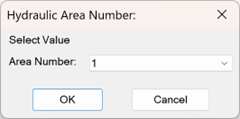
Start the command and select the remote area that the Jump belongs to. Select 0 if you want to use the jump with all areas found on the drawing. Press OK.
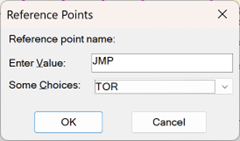
Enter a reference point name for the Jump. Press OK.
Pick a pipe to jump from and then a pipe to jump to. Enter a Reference Point Name of four characters or less in the dialog box and press OK. The ‘finger’ will point in the direction of the ‘To’ point for the jump.
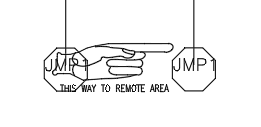
Jumps cannot be placed on a riser pipe, and a second jump cannot be on the other end of the same pipe as the first, for the same area.
HydraCARDs (Troubleshooting)
For HydraCARDs regarding Jump: [Click Here]