
 HydraDOCs
Appearance
Sleeve Schedule
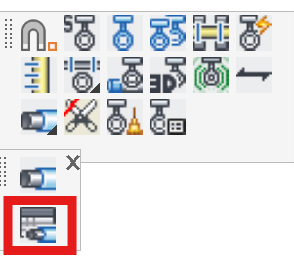
Layer(s): SLEEVE
Shortcut: SVS
Associated: Sleeve
Ribbon: Draw Panel
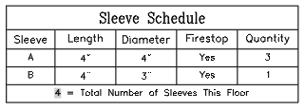
Insert a Sleeve Schedule using a table or a text file.
Choose a Table or Text. Check if you want to Label the sleeves on the drawing and enter a Beginning label. Multiple sleeves will be labelled incrementally, with identical sleeves receiving the same label.
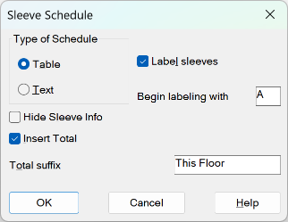
Hide Sleeve Info will hide the information associated with the sleeves. Insert Total will tally the sleeves and display the value in the Schedule using the Total suffix wording.
Note: Sleeves are not picked up by AutoList.
HydraCARDs (Troubleshooting)
For HydraCARDs regarding Sleeve Schedule: [Click Here]