
 HydraDOCs
Appearance
Extended Sidewall Guide
Layer(s): SPRNKS
Shortcut: XG
Associated: Select Sprinkler / Insert Sprinkler
Ribbon: Insert Panel
Insert sidewall sprinklers, one at a time, with a spacing guide. This command will stop if the current head is not a sidewall head. When you start the command, you will be prompted to input the spray direction at the command line. This will orient the guide.
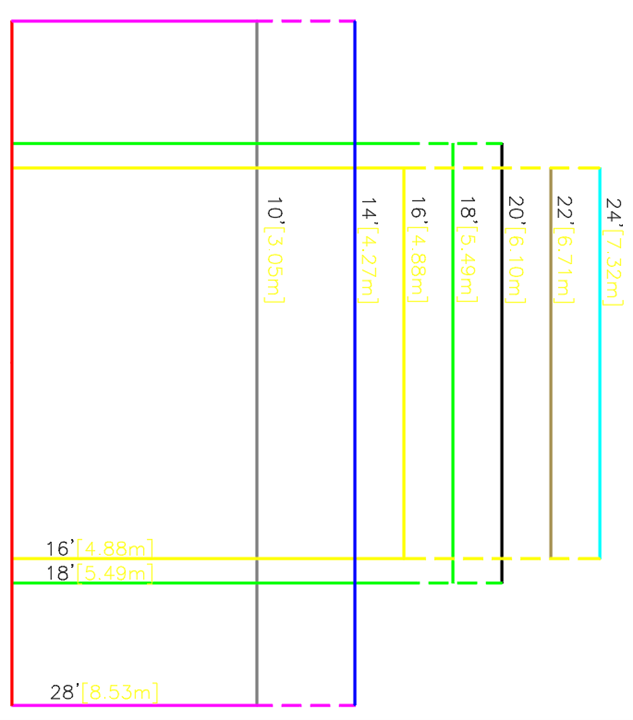
The spacing dimensions are shown on the guide. Use the guide for checking sprinkler spacing.
A pick with the mouse will insert a sprinkler at the center of the cross hairs. The inserted sprinkler will be the last sprinkler specified by the Select Sprinkler or Pick Current Head command.
The command continues until the ESC key is pressed.
HydraCARDs (Troubleshooting)
For HydraCARDs regarding Extended Sidewall Guide: [Click Here]