
 HydraDOCs
Appearance
Inserting Pipes
This section explains how to insert fabricated and loose pipes.
Mains (Fabricated Pipes)
The Mains tab is the second tab in the Insert Fittings dialog box. The mains listed here correspond with entries specified in the Mains tab in HydraLIST.
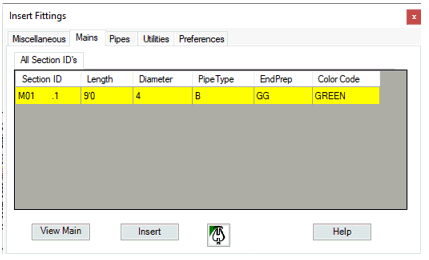
There are six columns that provide information for the part as shown below.
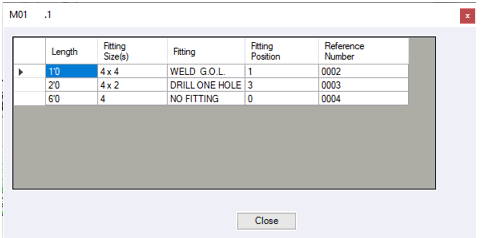
Selecting the View Main button will show the fabrication information that you specified in HydraLIST.
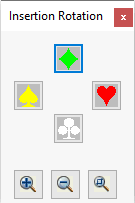
Press Insert and the Insertion Rotation dialog box will appear. The symbol you choose determines the direction of fitting position 1 when listing the main. In this example, it is the direction of the welded GOL. Fitting positions are shown above in the Expanded View of the main.
Insert mains by selecting a Ski Pole in the same manner as used for Miscellaneous items.
Pipes (Loose Pipes)
The Pipes tab is the third tab on the Insert Fittings dialog box. Pipe specifications are entered in the fields shown.
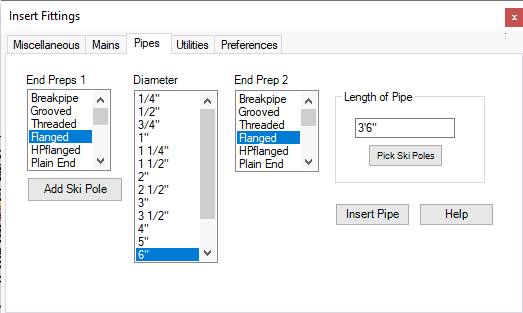
Pick a nominal size from the Diameter list. End Prep information will become available in the End Prep 1 and End Prep 2 input boxes.
Select the End Prep for both ends and enter a length. End Prep 1 will be positioned next to the selected Ski Pole.
The Length of Pipe can also be determined by selecting two Ski Poles in your drawing. Rather than entering a length, select Pick Ski Poles.
You will return to the drawing.
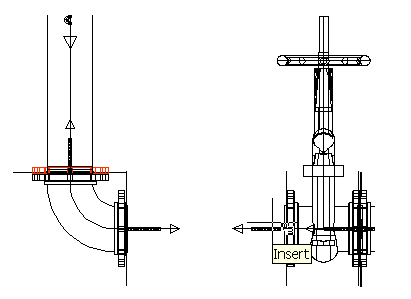
Pick the first Ski Pole.  The Insertion OSNAP was used. The command line will prompt for the second point if your first selection was successful.
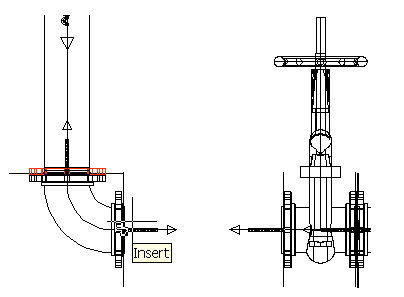
Select the second Ski Pole. The Insert Fittings dialog box will reappear with pipe length entered as shown.
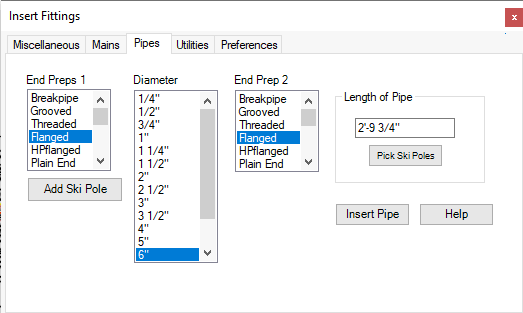
Press Insert Pipe.
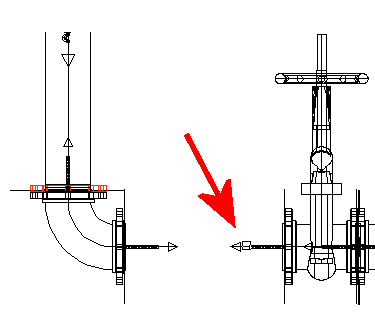
Select the Ski Pole as shown. Ski Pole orientation is irrelevant for pipes.
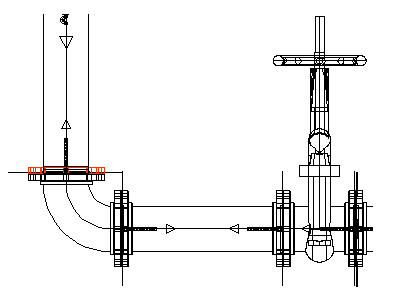
The pipe is inserted between the Ski Poles as shown here. You will need to keep track of pipe fabrication data as you insert pipes. You must manually enter this data in HydraLIST for stocklisting.