
 HydraDOCs
Appearance
Residential Guide
Layer(s): SPRNKS
Shortcut: RG
Associated: Select Sprinkler / Insert Sprinkler
Insert sprinklers, one at a time, with a spacing guide based on residential requirements.
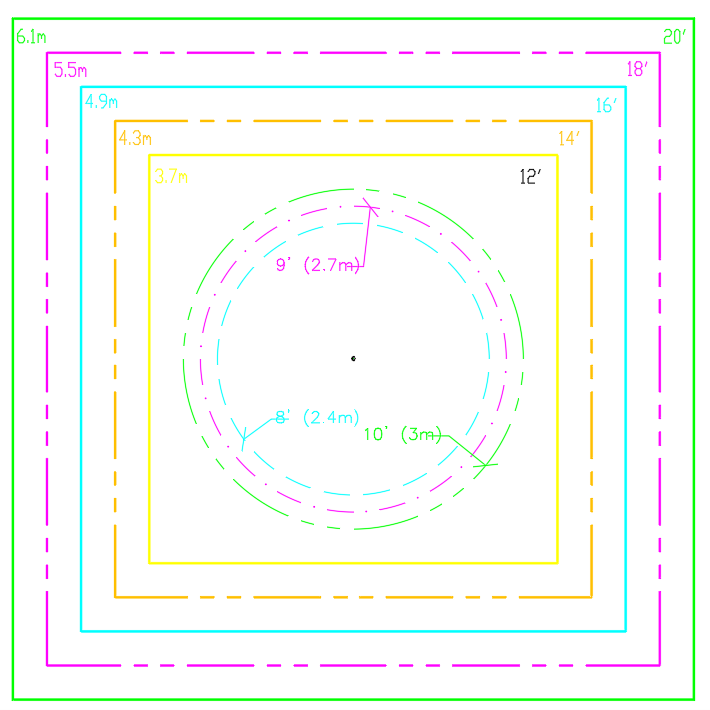
Press enter and the spacing guide will appear as shown in the figure. The spacing dimensions are shown on the guide. Use the guide for checking sprinkler spacing.
A pick with the mouse will insert a sprinkler at the center of the cross hairs. The inserted sprinkler will be the last sprinkler specified by the Select Sprinkler or Pick Current Head command. The command continues until the ESC key is pressed.