HydraDOCs
Appearance
Plotting 3D Risers
The wire frame lines in your 3D drawings may appear untidy when plotting. AutoCAD allows you to use the Hide command in any viewport for the purpose of plotting.
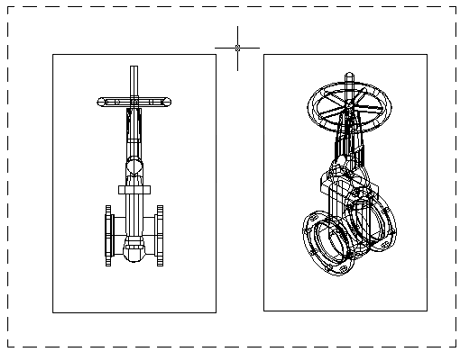
Here are two viewports with different views of the same OS&Y gate valve in paper space. The wire frame lines cause both views to appear cluttered.
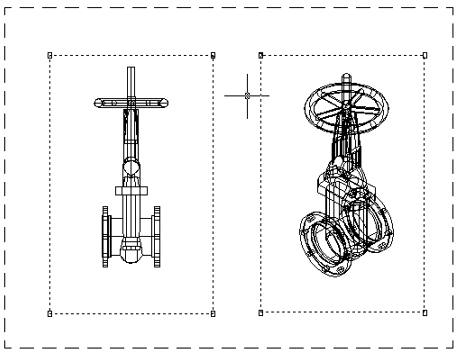
You can hide the wire frame lines by selecting the viewports. You can select both viewports as shown here or select them individually.
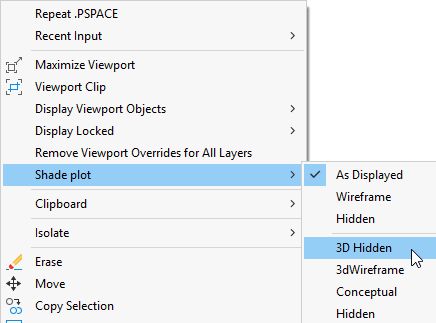
Right-click with your mouse and select Shade plot and 3D Hidden.
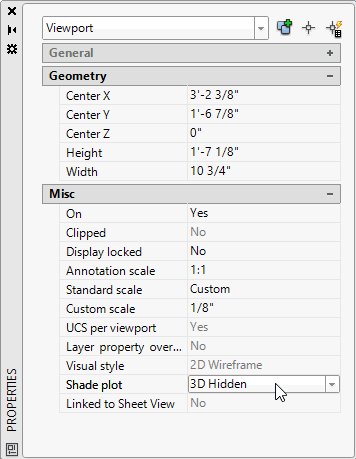
You can also select Properties from the Right-click menu to view the Viewport settings. Select Shade plot and 3D Hidden as shown.
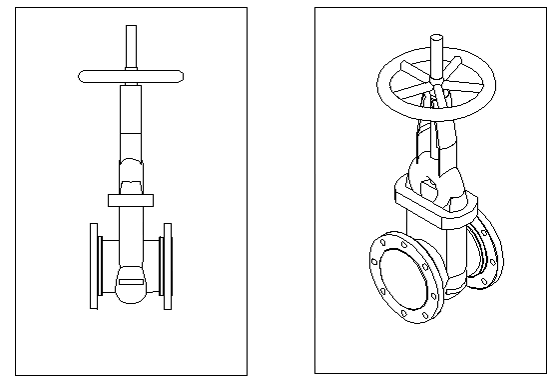
The wire frame lines will disappear when in the plotted version of your drawing as shown below.