HydraDOCs
Appearance
Spin along Blue Axis
Layer(s): NONE
Shortcut: SAB
Ribbon: Insert Panel
Rotate inserted fittings or Ski Poles using the prime direction (blue arrow) as the axis of rotation.
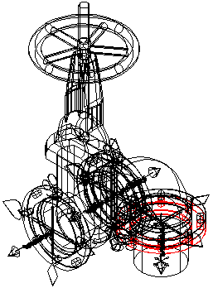
Here, the gate valve here is inserted incorrectly. The valve should be pointing up rather than to the side.
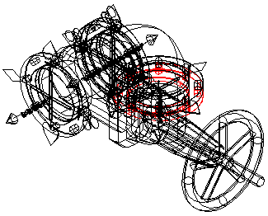
Select Spin along Blue Axis and pick the Ski Pole on the gate valve as shown. The Ski Pole origin (center) will become the axis of rotation.
You will be prompted at the command line to select an object. Select either the same Ski Pole again or any portion of the gate valve.
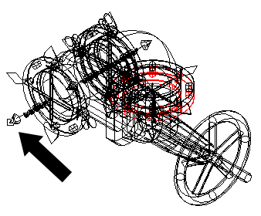
The gate valve will be rotated counterclockwise.