
 HydraDOCs
Appearance
Fitting Mapping
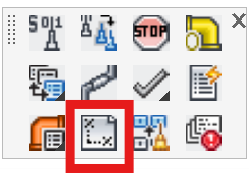
Layer(s): FAB_DEF
Shortcut: FM
Associated: New Tag
Select fabrication configurations for the New Tag and Start AutoList commands.
HydraCAD contains more than 100 unique Fitting Instruction Groups (FIGs), which specify how pipes are connected for listing purposes. Each Instruction Group contains information as to which fittings are to be used when a tee, elbow, coupling or cross is encountered along the run of the pipe, and how outlets are to be fabricated. These instructions reside in the Fitting Assembly Table. When a drawing is ready for to be tagged for AutoList, the designer may select up to five FIGs to be available to be chosen from the New Tag command. Any non-standard fabricating which occurs can be handled by Override Fittings.
Each Line or Main tag can be listed using one of these five unique Fitting Groups. These Fitting Groups map Fitting Assembly Table entries to the Line and Main tag configurations.
Often users may only need two or three FIGs for their work. One is likely to be a threaded configuration and the other one or two grooved configurations. One might be for Standard couplings and one for short radius (Firelock) couplings, for example.
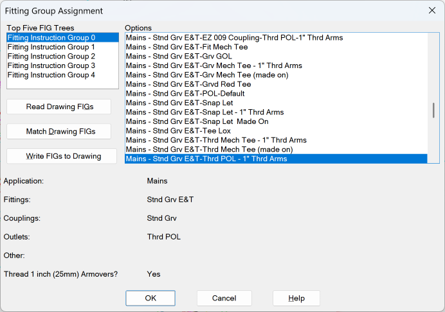
Choose a group number to map from the Top Five FIG Trees list on the left.
Choose a FIG from the Options on the right.
Continue to select groups from the Top Five list and associate them with types from the Options list until all groups have a corresponding fabrication method from the Options list.
Read Drawing FIGs will open a text file listing the five Fitting Instruction Groups currently stored in the drawing.
Match Drawing FIGs will update the above dialog box to match the five FIGs stored in the drawing. This is handy as it helps other users in the same organization have the same setup if they open another's project.
Write FIGs to Drawing will store the list of the Top Five to the drawing database.
Press OK to save the changes. These associations will appear when the Listing Tag Setup dialog box is opened to create a New Tag.
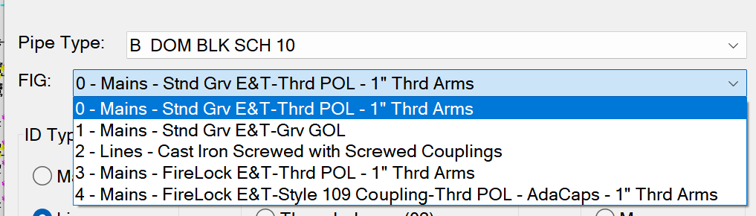
These Top Five FIGs are written to a block in the drawing, in the FAB_DEF layer and recorded in the drawing database. This layer is turned off by default, to avoid accidental deletion.
HydraCARDs (Troubleshooting)
For HydraCARDs regarding Fitting Mapping: [Click Here]